
| Title | Details |
|---|---|
| Name | MPL Game |
| Size | 30MB |
| Version | 1.3.10 |
| APP LINK | Download |
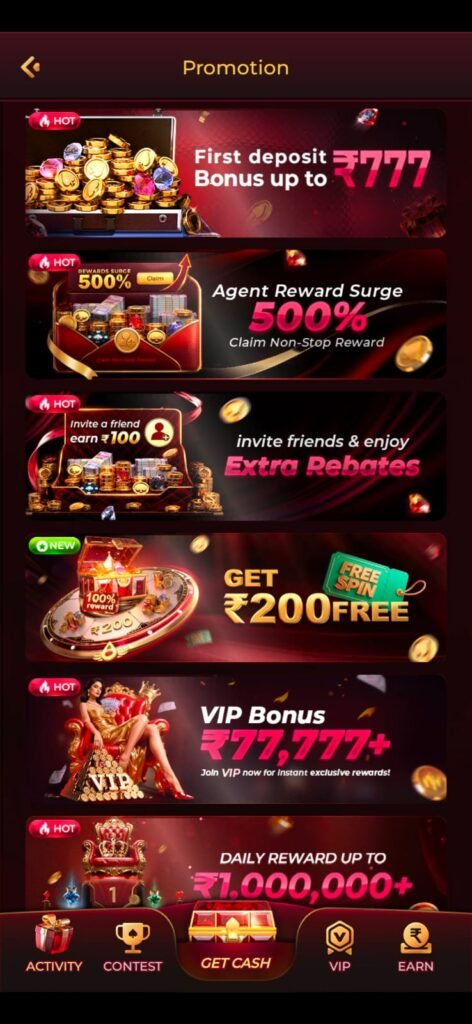
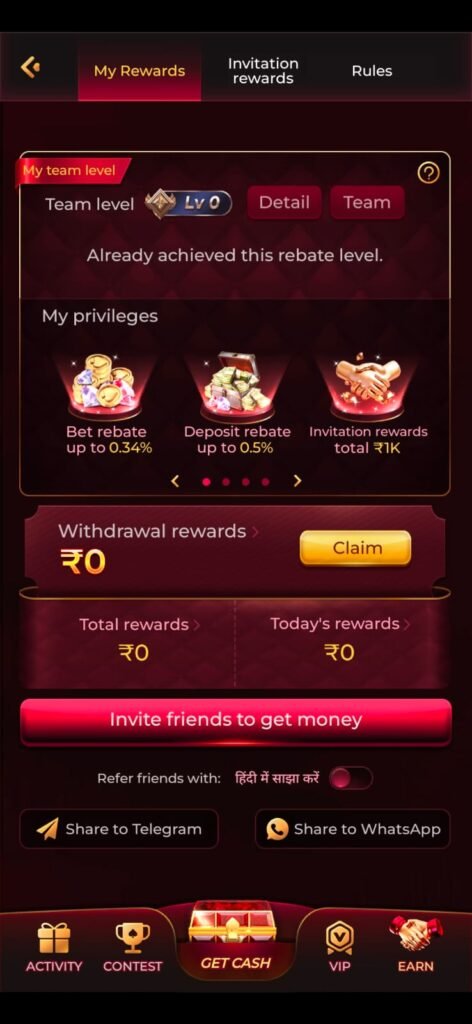
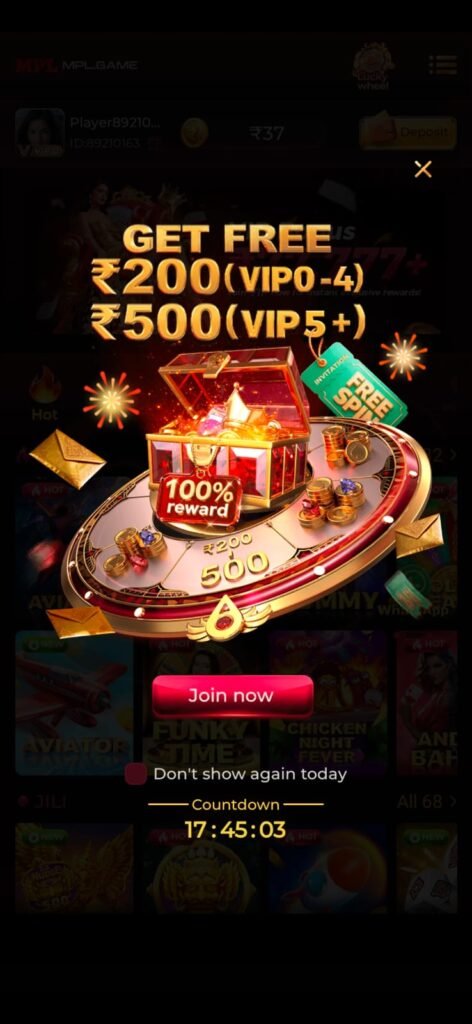
MPL, short for Mobile Premier League, is a well-known mobile gaming platform offering a variety of games across categories such as casual, card, puzzle, sports, and arcade games. However, MPL’s current official website states that deposits are no longer available and that cash games are unavailable in compliance with applicable law.
If you are searching for the MPL game download, latest version, features, app size, and welcome bonus, this guide explains what is currently known and how to use the official platform safely.
MPL Game Download – Latest Information
The safest way to access MPL is through its official website or the official app-store listing rather than downloading an APK from an unknown third-party website.
MPL’s official pages currently promote playing games on the platform, while its current notice says that cash games and deposits are no longer available. Therefore, users should check the latest terms and availability before expecting any cash-game or bonus feature.
Visit the official MPL website
MPL Game Features
MPL has historically offered a broad selection of mobile games. Its platform has included categories such as:
- Card games
- Casual games
- Puzzle games
- Arcade games
- Sports and cricket games
- Chess and other skill-based games
- Quick-play arcade titles
The official MPL website currently showcases games such as Fruit Slice, Fruit Dart, Cricket 24×7, and other titles.
Simple Mobile Gameplay
Many MPL games are designed for quick sessions and touchscreen controls. Depending on the title, players may tap, swipe, select options, solve puzzles, or make strategic decisions.
Multiple Game Categories
One of MPL’s longstanding attractions has been its variety. Instead of downloading separate applications for every game, users can access multiple game experiences through the platform.
Practice and Free Games
MPL has also offered free games and practice modes for selected titles. Availability can change, so check the current game lobby before playing.
MPL App Size
The exact installation size can change between versions, devices, and operating systems. For that reason, there is no single permanent APK size that should be advertised as the current size.
A third-party Android listing reported an update in July 2026, but users should treat third-party APK information as secondary and prefer the official MPL download source.
Before installing any application, make sure your phone has sufficient free storage and that you are downloading from a trusted source.
MPL Welcome Bonus
Searches for MPL often mention terms such as welcome bonus, referral bonus, promotional rewards, or new-user offers. However, promotional offers can change frequently.
More importantly, MPL’s current official website says that deposits and cash games are no longer available, so claims that every new user can currently receive a particular cash welcome bonus should not be presented as guaranteed.
If an offer appears inside the official MPL app or website, carefully read its eligibility requirements, expiry date, and terms before accepting it.
How to Download MPL Safely
Android
- Visit the official MPL website.
- Look for the current Android download option.
- Download the application only from an official MPL source.
- Install the app if it is available for your device and region.
- Open the application.
- Follow the registration instructions displayed by MPL.
MPL’s security guidance specifically recommends downloading the Android application from its official website.
iPhone and iPad
For iOS devices, use the official Apple App Store listing when the app is available in your region. Avoid downloading modified or unofficial iOS installation packages.
How to Register on MPL
If registration is available in your region, the general process is straightforward:
- Open the official MPL application.
- Enter your mobile number when requested.
- Complete OTP verification.
- Create or complete your account profile.
- Review the current terms and available games.
- Start with games or features that are currently offered in your region.
Never share your OTP with another person. MPL’s security guidance explicitly warns users not to share OTPs.
Is MPL Safe to Download?
The safest approach is to download MPL from an official source and avoid modified APK files.
MPL maintains a security program covering its applications and encourages responsible vulnerability reporting. Its security guidance also advises users to obtain the Android application from the official website.
You should also:
- Avoid unofficial APK websites.
- Never share your OTP.
- Check app permissions before installation.
- Keep your phone’s operating system updated.
- Use a strong account password where applicable.
- Contact official support if you encounter an account problem.
MPL Customer Support
If you have an issue with your MPL account or application, use the official support channels. MPL’s Help Center provides FAQs and support options, including in-app chat and an official support email.
MPL Games You May Find
The games available on MPL can change over time. Official MPL pages have featured games and categories including:
- Cricket
- Chess
- Rummy
- Call Break
- Ludo
- Carrom
- Fruit Slice
- Fruit Dart
- Block Puzzle
- Other casual games
The current availability of particular games depends on MPL’s latest platform configuration and applicable regional rules.
MPL Download Guide: Important Points
Before downloading, remember these points:
Use official sources: Do not rely on random APK websites.
Check current availability: MPL’s current website explicitly says cash games and deposits are unavailable.
Check regional restrictions: MPL states that availability can depend on applicable law and location.
Check age requirements: MPL states that its service is intended for users aged 18 and above where permitted by law.
Don’t trust guaranteed bonus claims: A welcome bonus advertised by an unofficial website may be outdated or inaccurate.
Frequently Asked Questions
What is MPL?
MPL stands for Mobile Premier League. It is a mobile gaming platform that has offered games across several categories, including casual, card, puzzle, arcade, and sports games.
Is the MPL app free to download?
The official MPL platform has offered free game downloads. Current availability and functionality can vary by device and region.
Is an MPL welcome bonus currently guaranteed?
No. You should not assume that a particular ₹ amount is guaranteed. Current official information indicates that deposits and cash games are unavailable, so promotional claims should be checked against MPL’s current official terms.
Where should I download MPL?
Use the official MPL website or an official app-store listing where available.
Can I use an unofficial MPL APK?
It is strongly recommended to avoid unofficial or modified APKs because their contents and security cannot be verified.
Does MPL support users?
Yes. MPL provides a Help Center with FAQs and support options, including in-app assistance.
Final Words
MPL remains a recognizable name in India’s mobile gaming space, with a history of offering games across multiple categories. For anyone searching for MPL Game Download, New Version, Features, Size, Welcome Bonus & Guide, the most important point in 2026 is to verify information directly with MPL because its current official website says that deposits and cash games are no longer available.
For a safe experience, download only from official sources, avoid modified APK files, never share OTPs, and check the latest terms before using any promotional offer.
One of the main reasons mobile gaming platforms attract users is convenience. A well-designed gaming application can make it easier to browse available games, understand game rules, and move between different sections without installing multiple applications.
The MPL experience has traditionally focused on providing several games within one platform. Depending on the current version and regional availability, users may find different categories and game formats.
The interface is generally designed around simple navigation, allowing users to select a game and view the available options before starting.
MPL Game Categories
MPL has historically provided games in several categories. These categories can appeal to different types of players.
Card Games
Card-based games can be attractive to users who enjoy strategy, decision-making, and traditional Indian-style gameplay. Availability of particular card games can vary according to current regulations and platform policies.
Sports Games
Sports-themed games provide a way to enjoy cricket and other sports-inspired experiences from a mobile device. Game availability can change with new releases and platform updates.
Puzzle Games
Puzzle games generally focus on concentration, timing, pattern recognition, and problem-solving. They are often suitable for short gaming sessions.
Arcade Games
Arcade-style games are usually designed around quick controls and short rounds. These games can be convenient when users want a brief entertainment session.
MPL Latest Version Updates
A new application version can include improvements to performance, security, compatibility, and the user interface. It may also remove older features or introduce new games.
Users should therefore check the version displayed by the official distribution source rather than relying on an APK version number posted on an unrelated website.
Before installing an update, check:
- The publisher or developer name.
- The application’s official source.
- The release or update information.
- Required Android or iOS version.
- Available storage space.
- Current terms and privacy information.
Why Avoid Modified MPL APK Files?
Searching for “MPL APK download” can produce many third-party websites. Some may claim to offer modified versions, unlocked features, extra coins, or guaranteed bonuses.
These claims should be treated carefully.
A modified application may contain unwanted software, request excessive permissions, or interfere with account security. It can also become outdated quickly after the official platform changes.
For a safer installation, use the official MPL distribution channel whenever possible.
MPL Permissions and Privacy
Before installing any mobile application, users should review the permissions requested by the app.
Only provide permissions that are necessary for the application’s functionality. You should also review the current privacy policy to understand how account and device information may be handled.
Avoid giving login credentials, OTPs, or other sensitive information to websites or individuals claiming to provide special MPL bonuses.
How to Update MPL
If an official MPL application is installed on your device and an update is available, follow the update method provided by the official distribution platform.
A typical update process is:
- Open the official app distribution source.
- Search for the official MPL application.
- Check whether an Update option is available.
- Review the listed update information.
- Install the update using a reliable internet connection.
- Open MPL after installation.
- Confirm that the application works correctly.
If the application is no longer officially distributed in your region, do not attempt to force an update using an unknown APK.
MPL Login Guide
Existing users should use the login method provided by the official application.
If you cannot access your account, avoid repeatedly entering incorrect credentials. Instead, use the official account recovery or support process.
For account-related problems, keep useful information such as:
- Registered mobile number.
- Approximate date of the problem.
- Device model.
- Application version.
- Relevant error message.
Never send your password or OTP to an unofficial support account.
MPL Welcome Offer: What Users Should Check
If MPL displays a promotional offer, read the conditions before assuming that it represents guaranteed cash.
A promotion may include requirements such as:
- New-user eligibility.
- Limited promotional periods.
- Regional restrictions.
- Specific game requirements.
- Account verification.
- Terms and conditions.
- Maximum promotional value.
Because promotional campaigns can change, users should rely on the current information displayed by official MPL channels.
Responsible Gaming
Mobile games should be treated as entertainment. Users should set reasonable limits on their gaming time and avoid spending money they cannot afford to lose.
If a game involves any form of paid participation where legally available, understand the rules and applicable restrictions before participating.
Do not chase losses or borrow money for gaming.
MPL Download Safety Checklist
Before downloading an MPL application, use this quick checklist:
- Confirm that the source is official.
- Check the developer or publisher information.
- Review the current app version.
- Check device compatibility.
- Read the latest terms.
- Avoid modified APK files.
- Never share OTPs or passwords.
- Check promotional conditions carefully.
- Follow applicable local laws.
- Contact official support for account problems.
MPL on Android
Android users should be particularly careful when installing APK files because applications obtained outside official channels can carry additional security risks.
If an APK is offered through an unofficial website with claims such as “unlimited coins,” “VIP unlocked,” or “guaranteed ₹500 bonus,” there is no reason to assume that the file is genuine.
The safest practice is to use the official MPL website or an official app marketplace listing when available.
MPL on iOS
iPhone users should obtain applications through Apple’s official App Store when an official listing is available in their region.
Avoid websites asking you to install configuration profiles or other unofficial packages merely to access an alleged “premium” version of MPL.
Internet Requirements
Most modern mobile games require an internet connection for account-related features, updates, leaderboards, or online gameplay.
For a smoother experience:
- Use a stable Wi-Fi or mobile-data connection.
- Keep your application updated.
- Close unnecessary background applications.
- Make sure sufficient storage is available.
- Restart the application if it becomes unresponsive.
Actual network requirements depend on the particular game and version.
MPL App Performance
Application performance can vary according to the smartphone’s processor, RAM, operating-system version, available storage, and network quality.
If the app is slow, users can try:
- Closing unnecessary applications.
- Restarting the device.
- Checking for an official update.
- Clearing temporary application data where appropriate.
- Checking the internet connection.
- Contacting official support if the problem continues.
Do not install unofficial “MPL booster” applications claiming to improve performance.
Common MPL Download Problems
Download Button Is Missing
The availability of a download option can depend on the current platform and region. Check the official MPL website for the latest information.
APK Will Not Install
An APK may fail because it is incompatible, incomplete, outdated, or not intended for the device. Instead of downloading another random APK, verify the official installation method.
App Does Not Open
Restart the device and check whether your operating system meets the current requirements. If the problem continues, use official support.
Login Is Not Working
Check your registered details and use the official account-recovery process. Never give your OTP to another person.
MPL Terms and Regional Availability
Gaming applications can be subject to changing laws and regulations. Features that were previously available may be changed, restricted, or removed.
This is especially important when reading older articles that advertise specific cash-game features or bonuses. Information published in previous years may no longer represent the current MPL service.
Always verify important information through current official sources.
Frequently Asked Questions — More Answers
Can I download an old MPL version?
Although older APK files may be available on third-party websites, using an outdated or modified version is not recommended. Older versions can contain security problems and may no longer connect correctly to current services.
Does MPL work on every Android phone?
Not necessarily. Compatibility depends on the current application requirements and the Android version installed on the phone.
How can I identify the official MPL app?
Check the official MPL website and the publisher information shown by the relevant app distribution platform. Do not rely solely on an APK filename or logo.
Is every MPL bonus offer genuine?
No. Third-party websites can publish outdated or misleading promotional claims. Verify any offer through official MPL channels and read the conditions carefully.
What should I do if I find a suspicious MPL APK?
Do not install it. Use an official source instead. If you have already installed a suspicious application, consider removing it and checking your device for security issues.
Final MPL Download Checklist
For readers searching for the latest MPL version, the basic process is simple: verify the official source, check current availability, install the legitimate application, review the latest features and terms, and avoid unsupported bonus claims.
The most important thing is not simply finding an APK file. It is finding a legitimate and current version that is appropriate for your device and region.
MPL’s current official information should always take priority over older blog posts, social-media advertisements, or third-party APK pages.
Conclusion
MPL has developed a broad mobile gaming platform with different game categories and a recognizable name among mobile gamers. However, information about downloads, features, bonuses, and cash-related services can change over time.
If you are looking for MPL Game Download New Version, Features, Size, Welcome Bonus & Guide, verify the latest information before installing anything. Use official sources, avoid modified APKs, protect your login information, and carefully review promotional terms.
Most importantly, do not assume that an advertised welcome bonus or cash feature is currently available simply because it appears in an old article or on an unofficial download page. Current official information should always be your first reference.